Football Playbook Maker for Every Level
RC Football's football playbook maker lets you organize plays, manage rosters, and build a structured gameplan your whole staff can follow. Import your roster, assign positions, order your plays, and export the finished playbook to Google Drive, all from your browser. Pair it with the play creator and every play you draw drops straight into the playbook builder.
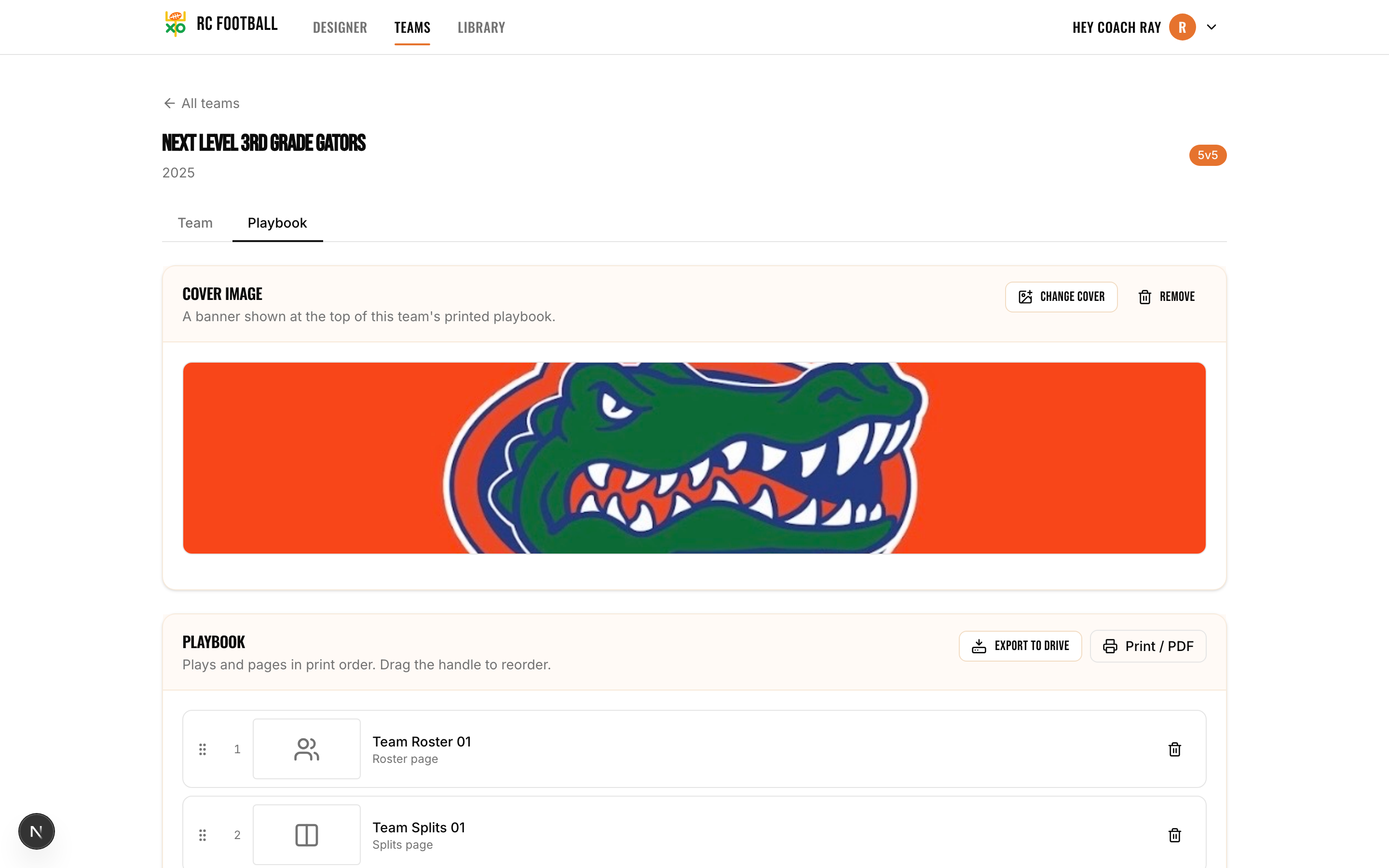
The Football Playbook Maker That Runs Like Your Program Should
Most coaches have plays scattered across notebooks, whiteboards, and text threads. RC Football's playbook maker puts them in one place: import your roster, add the plays you drew in the football play designer, and order them the way your gameplan demands, openers first, red zone at the back, two-minute drill in between. Assign every player a position on offense and defense so your staff knows who lines up where, then export the whole thing to Google Docs or Slides. It is a real playbook system, not a folder of screenshots.
Key capabilities
- Import your roster with two clicks: paste from a spreadsheet or type names in.
- Assign suggested positions to every player on offense and defense.
- Use color schemas designed for players under 12 so young athletes can follow along.
- Export your playbook to Google Drive as a Doc or Slides presentation.
- Order plays in whatever sequence fits your gameplan.
- Manage playbooks for multiple teams from a single account.
How the Playbook Maker Works
- 1
Create a playbook
Hit "New Playbook" and give it a name, such as "Varsity Offense Week 3" or "Flag U10 Season Playbook." Each playbook is its own container. You can have as many as you need.
- 2
Import your roster
Paste your player list from a spreadsheet or type names manually. Two clicks and your roster is loaded. The tool suggests offensive and defensive positions based on common alignments so you're not starting from zero.
- 3
Add and order your plays
Pull plays from your play library into the playbook. Drag them into the order that matches your gameplan. Openers at the top, situational plays grouped together, red zone at the end, whatever makes sense for how you call games.
- 4
Export and share
Export the finished playbook to Google Docs or Google Slides with one click. Hand it to your assistants, print copies for the press box, or pull it up on your tablet during the game.
See the Playbook Maker in Action
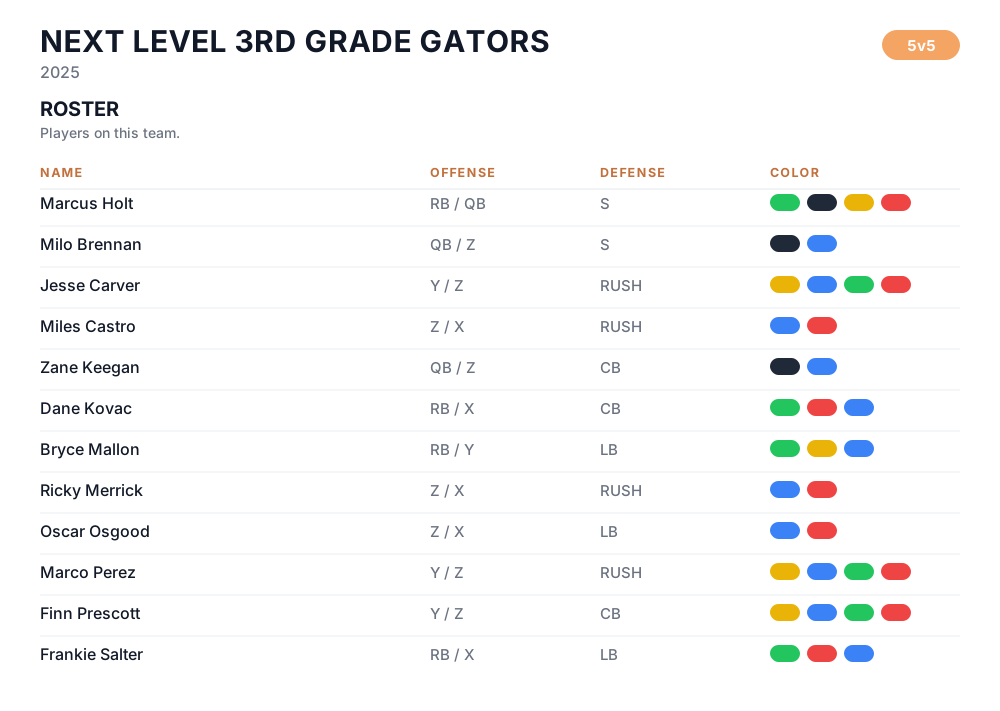
Import your roster in two clicks, assign offense and defense positions, and give players under 12 color-coded assignments they can find on any diagram.
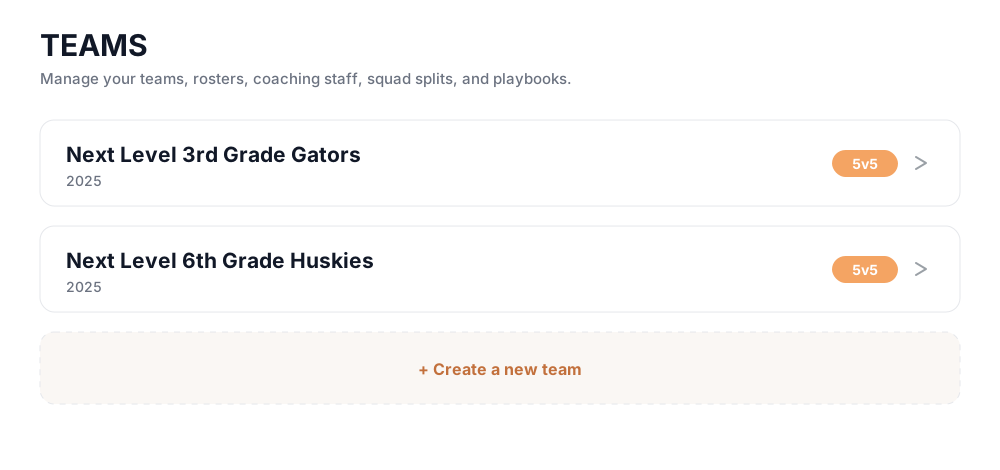
Run every team from one account: varsity and JV, fall and spring, your kid's flag team, each with its own roster, staff, and playbook.
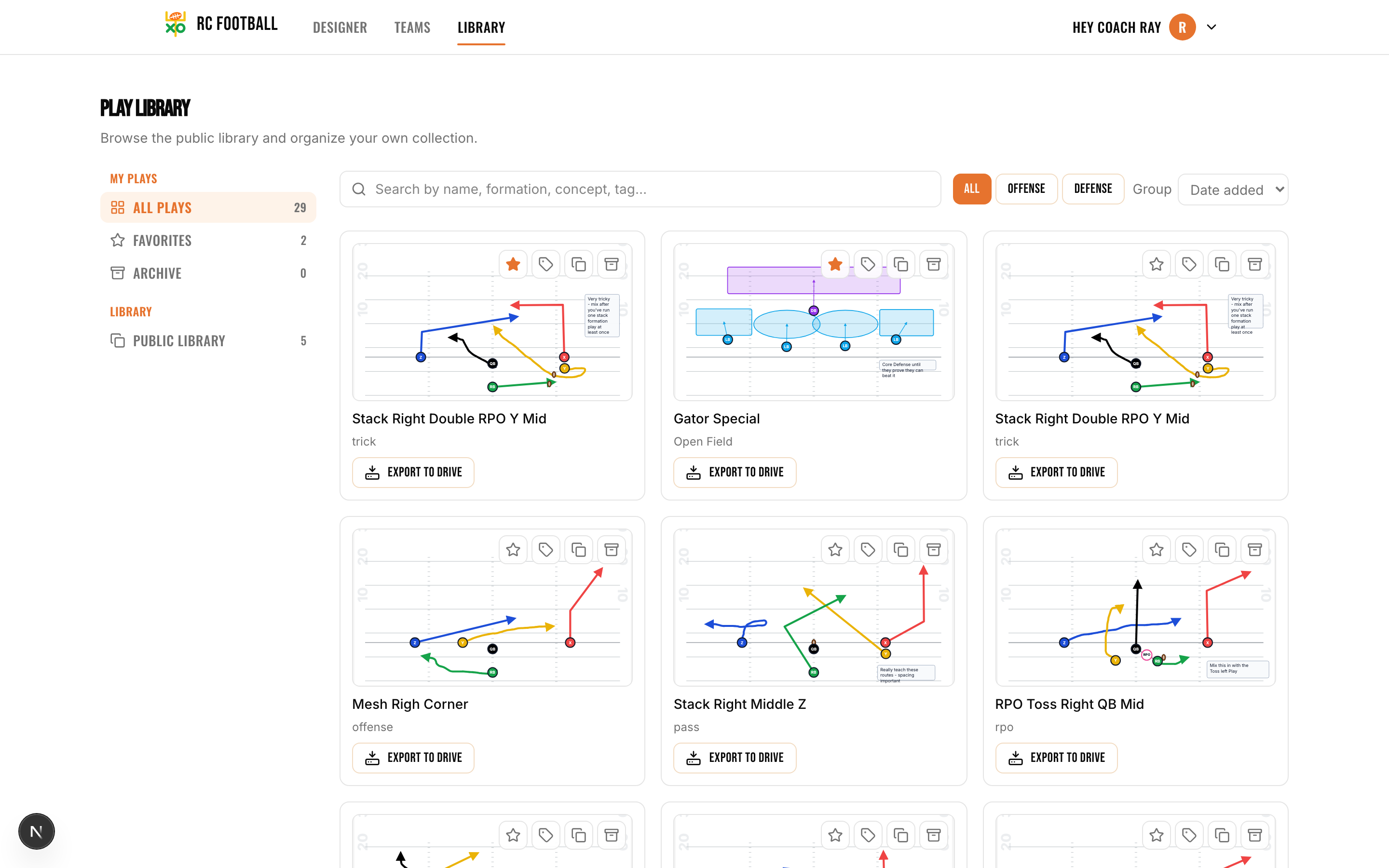
Pull any saved play from your library straight into a playbook, in the order your gameplan calls for.
Design the plays that fill your playbook in the drag-and-drop play designer, then drop them straight in.
A Playbook Designer Built for Real Coaching Workflows
Roster Import and Position Assignment
Import your full roster in two clicks. Paste from a spreadsheet or enter names directly. Once loaded, the tool suggests positions for each player on offense and defense based on common formations. Adjust as needed. When you add new players mid-season, they slot right in without rebuilding anything.
Color Schemas for Youth Coaches
Coaching players under 12 means keeping things visual. The playbook maker includes color schemas built specifically for young athletes. Instead of reading complex route names, kids see color-coded assignments that match their position group. It cuts explanation time at practice and helps players find themselves on the diagram fast.
Google Drive Export
When your playbook is ready, export it directly to Google Docs or Google Slides. Docs gives you a clean, text-forward format your coaches can reference on any device. Slides gives you a visual, one-play-per-slide layout that works in the press box or on a projector during film review. Either way, it lands in your Drive and your staff can access it immediately.
Multi-Team Playbook Management
If you coach more than one team, whether varsity and JV, fall and spring, your kid's flag team and your high school program, you manage all of it from one account. Each team gets its own playbook with its own roster, its own play order, and its own export. Switch between them without logging out or juggling accounts.
Design the plays that go into your playbooks using the free football play designer.
Who Uses This Playbook Maker
- Youth flag football coaches who need a simple, visual playbook they can hand to 8-year-olds at practice
- Pop Warner and rec league head coaches managing a roster, a gameplan, and volunteer assistants who need clear instructions
- High school offensive coordinators building a weekly gameplan and exporting it for the coaching staff
- High school head coaches running both sides of the ball and managing JV and varsity playbooks from one place
- Coaches who run multiple programs and need separate playbooks, rosters, and gameplans without separate accounts
- First-year coaches who want a structured system instead of a pile of handwritten play sheets
Frequently Asked Questions About the Playbook Maker
Is the football playbook maker free?
Can I import my roster from a spreadsheet?
What are the color schemas for players under 12?
Can I export my playbook to Google Drive?
Can I manage playbooks for more than one team?
Do my plays from the play designer carry over into the playbook?
How many plays should a youth flag football playbook have?
What goes in a 7v7 playbook?
How do I organize a playbook for game day?
Building and exporting playbooks is free to start. For coaches who want heavier usage or advanced features, see plans & pricing.
Keep exploring
Get Your Playbook Organized
Import your roster, add your plays, and hand your staff a real gameplan.
Open RC Football Playbook Maker