Your Football Play Library: Saved, Tagged, and Ready to Go
RC Football's football play library is where every play you design lives. Save plays across seasons, tag them by situation and concept, clone what's working, and share with your staff. Premium coaches get access to a global library of pre-made plays for just about any scenario.
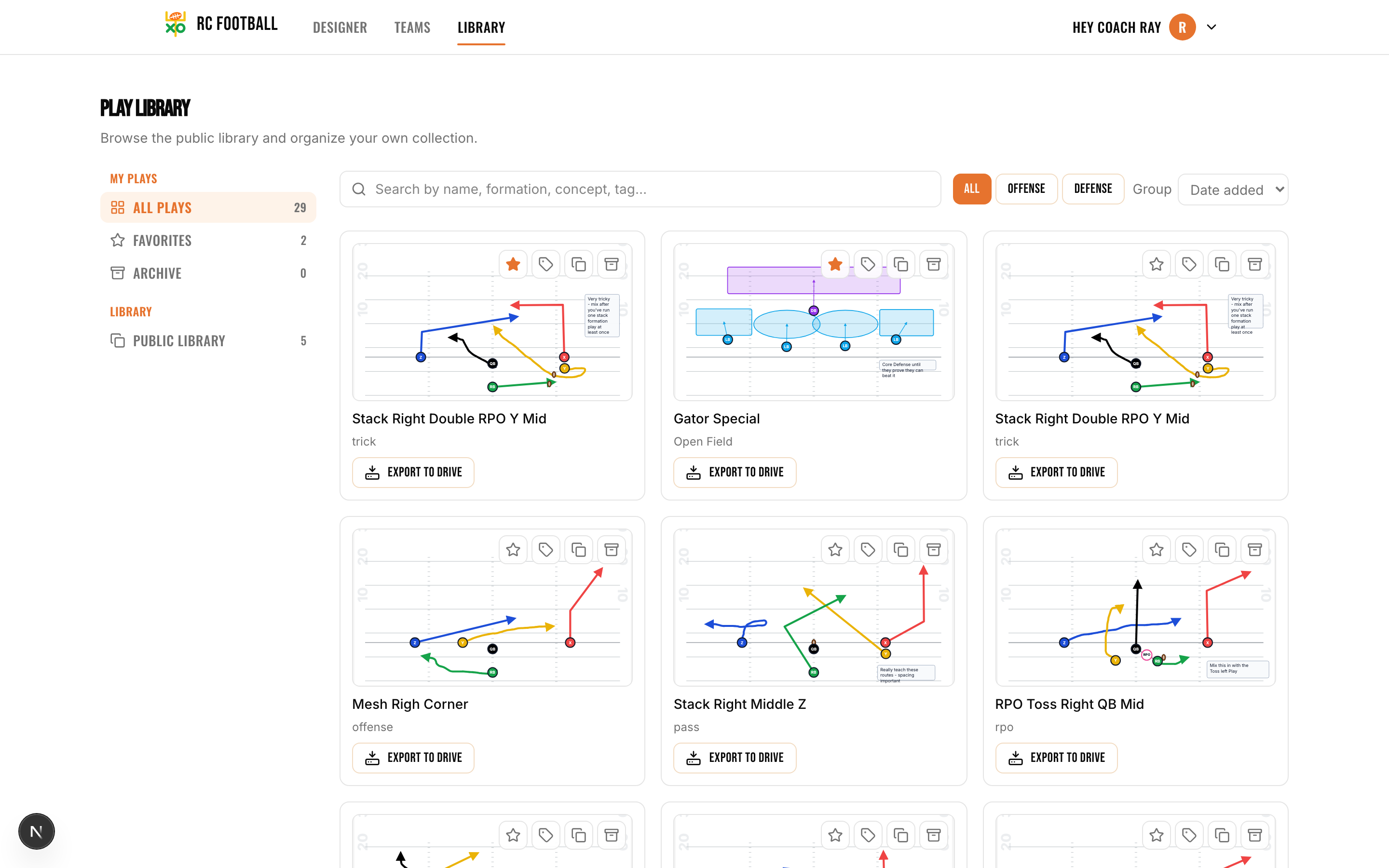
The Football Play Library That Keeps Every Play Within Reach
Designing plays is one thing. Finding them again when you need them is another. RC Football's play library stores every play you create and carries it from season to season. Tag plays by situation, such as 3rd and long, goal line or two-minute drill, and by concept, such as screen pass, play-action or zone run, so the red zone play you drew up in August is one filter away on Friday night. Premium users can also browse the global library of pre-made plays and pull anything into their own collection. Need new plays? Open the football play designer.
Key capabilities
- Save plays to your personal library and access them from any device, any season.
- Tag by situation (3rd and long, goal line, two-minute) for fast filtering on game day.
- Tag by concept (screen pass, play-action, zone run, RPO) to organize by scheme.
- Clone plays that are working so you can tweak without starting over.
- Share plays with assistant coaches or players for pre-game review.
- Browse the global library (premium) for pre-made plays you can pull into your own collection.
How the Play Library Works
- 1
Save a play
Every play you design in the play designer can be saved to your library with one click. Give it a name and it's stored. You can also favorite plays to pin them to the top so your go-to calls are always visible.
- 2
Tag and organize
Add situation tags (3rd and short, red zone, two-minute drill) and concept tags (play-action, screen, draw, RPO) to every play. When your library grows past 20 or 30 plays, tags are what make it usable. Filter by any tag and the plays that match surface instantly.
- 3
Clone, share, or reuse
Found a play that's been working? Clone it. The copy is ready to edit: adjust a route, flip the formation, or tweak the blocking scheme, all without touching the original. When your staff needs to see the play, share it directly. Players can pull it up on their phones for pre-game review.
See the Play Library in Action
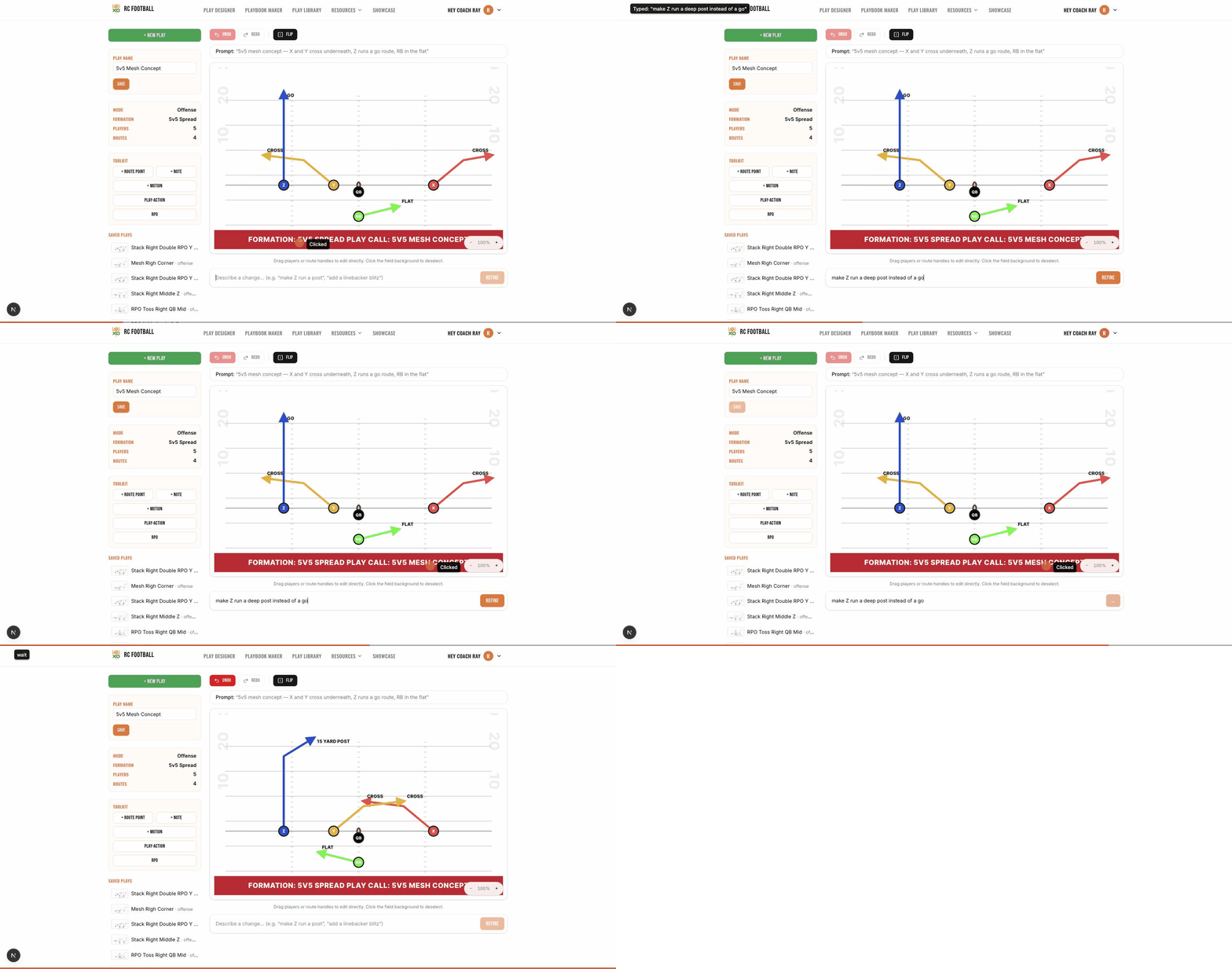
Tweak any saved play in plain English. Type “make Z run a deep post” and the diagram redraws itself, ready to clone and re-save.
Grab any player or route handle and the diagram updates live, then save the new version straight to your library.
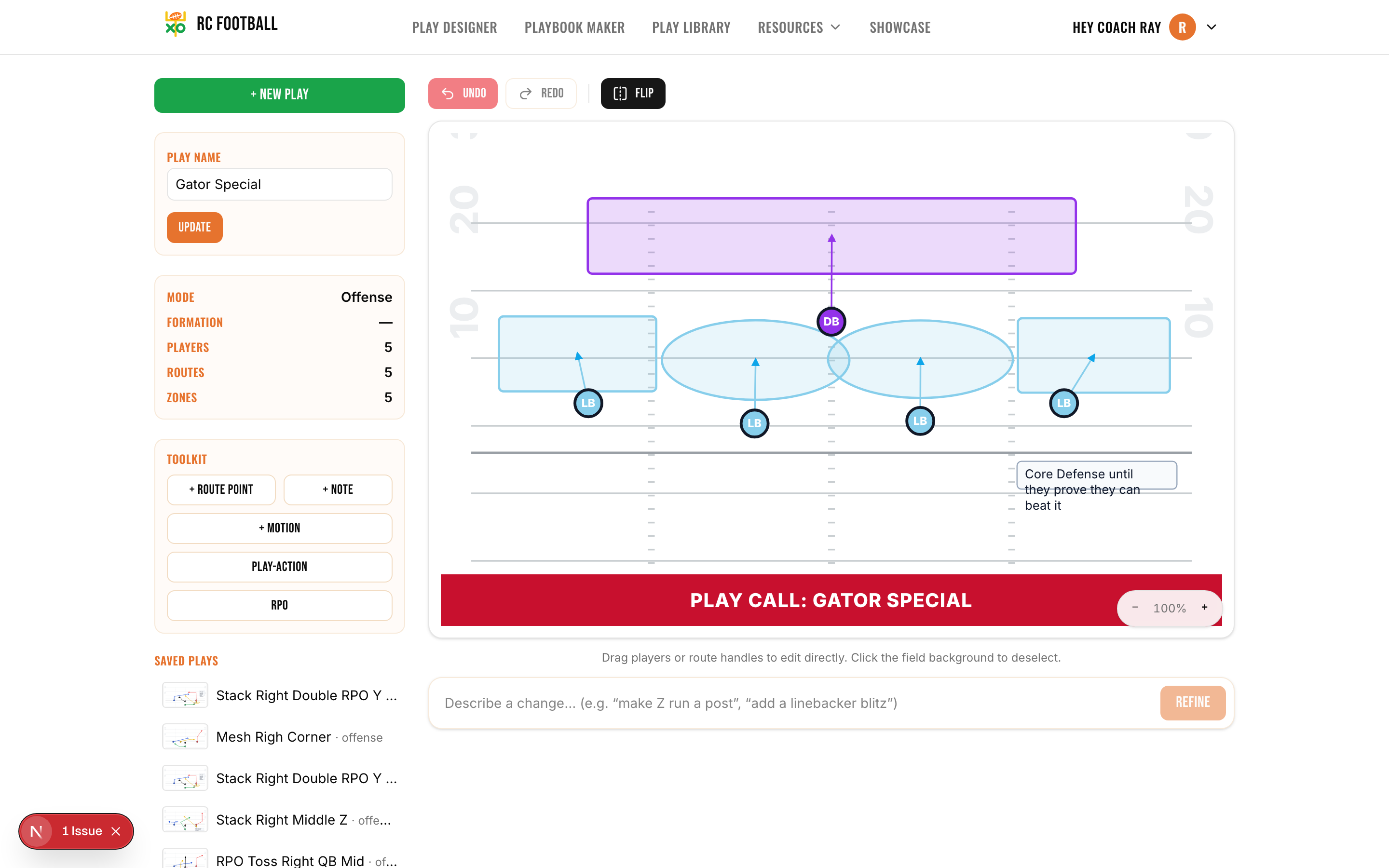
Offense or defense, every play renders on a real field. Tag it, favorite it, and filter it on game day.
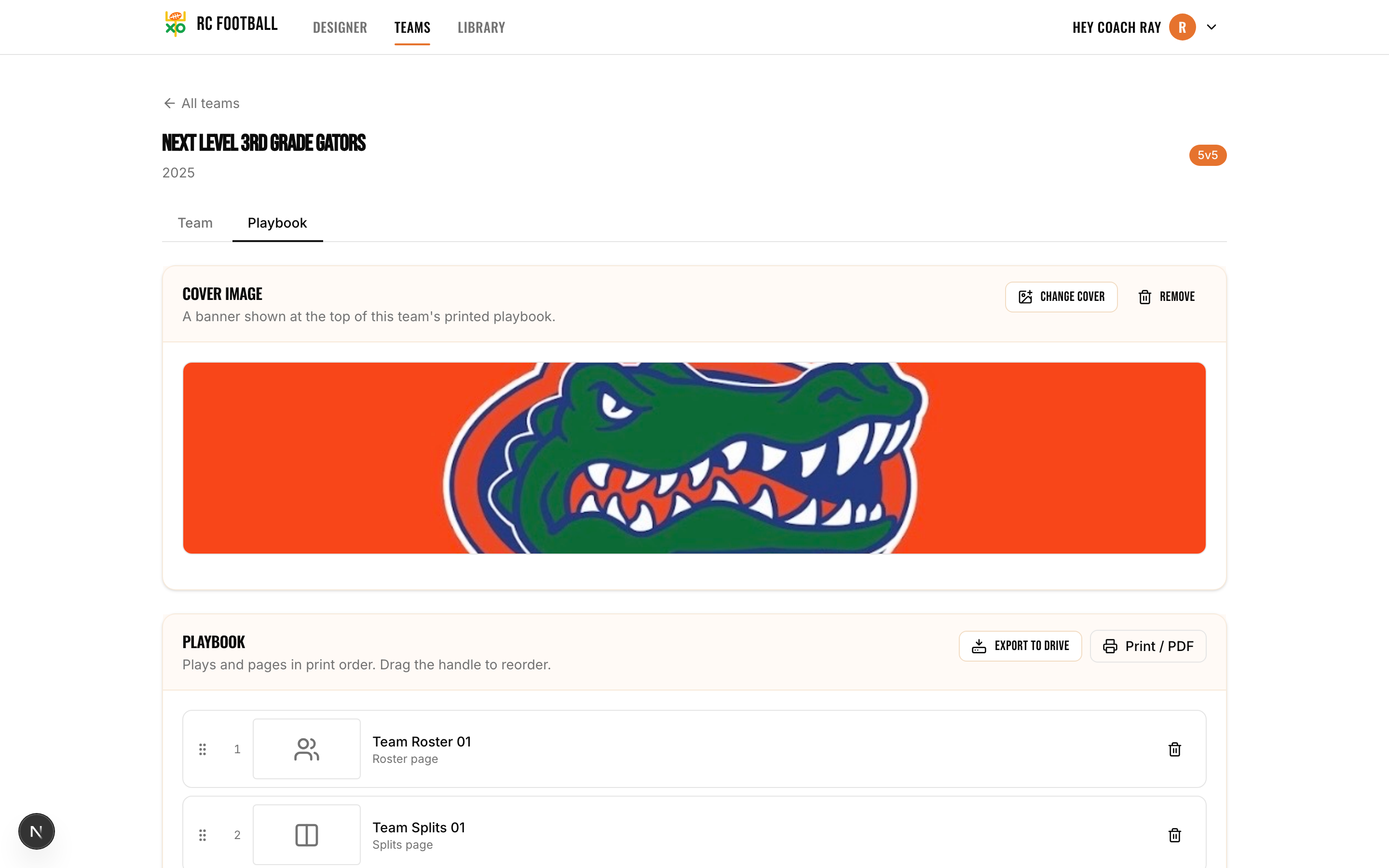
Pull saved plays straight into a printable team playbook: cover, roster, and every play in order.
What Your Play Library Can Do
Personal Library with Favorites and Tags
Every play you save goes to your personal library. Favorite the plays you call most so they sit at the top. Tag everything by situation and concept. When you need to pull up every play-action pass in your playbook, one filter does it. The library persists across seasons. What you built last year is still there when camp opens.
Global Library for Premium Coaches
Premium users get access to a global library of pre-made plays shared by coaches across the RC Football community. Browse by formation, concept, or situation. When you find something useful, pull it into your personal library with one click and customize it from there. It's a shortcut for coaches who want a starting point or need to expand their playbook fast.
Clone and Share
Cloning lets you duplicate a play so you can make adjustments without losing the original. Flip a formation, change a route, swap an assignment. The clone is independent. Sharing pushes a play directly to assistant coaches or players. Your OC can review it before the install meeting. Your quarterback can study it on his phone before the game. No screenshots, no text threads, no lost files.
Search and Filter on Game Day
Type a name, formation, concept, or tag and the matching plays surface instantly. On the sideline, filter by down-and-distance so the call you need is one tap away, even in a library of a hundred plays. Group by date, favorite, or side of the ball, and pin your go-to calls to the top.
Organize your saved plays into a structured gameplan with the football playbook maker.
Who Uses This Play Library
- Coaches who design plays all season and need a single place to store, find, and reuse them year after year
- Offensive and defensive coordinators who tag plays by down-and-distance so they can filter on the sideline during games
- Head coaches with large playbooks who need fast search and filtering instead of scrolling through folders
- Youth coaches building a library for the first time who want to browse pre-made plays from the global collection
- Coaching staffs that share play review duties and need every assistant looking at the same plays before game day
- Coaches who tweak plays weekly and use cloning to iterate without losing their base designs
Frequently Asked Questions About the Play Library
Is the football play library free?
Do my saved plays carry over between seasons?
What's the difference between the play library and a playbook?
What is the global library?
Can I share plays with players, not just coaches?
How does cloning work?
Saving, tagging, and sharing plays is free; the global community library is a premium feature (see plans & pricing).
Keep exploring
Start Building Your Play Library
Save your first play, tag it, and see how fast your collection grows.
Open RC Football Play Library